
Notification settings

By default, every user has schema change notifications enabled. You can toggle this setting by going to Settings > My settings and altering the Receive table change notifications setting.

Schema-change detection

Artie checks source databases for table and column changes and sends a summary only when it detects changes. By default, you receive the summary by email. You can also configure Slack or Teams notifications. Changes Artie detects include:
  1. Tables added
  2. Tables removed
  3. Tables changed
    • Columns added
    • Columns removed
    • Columns altered, including data type, default value, and not-null constraint
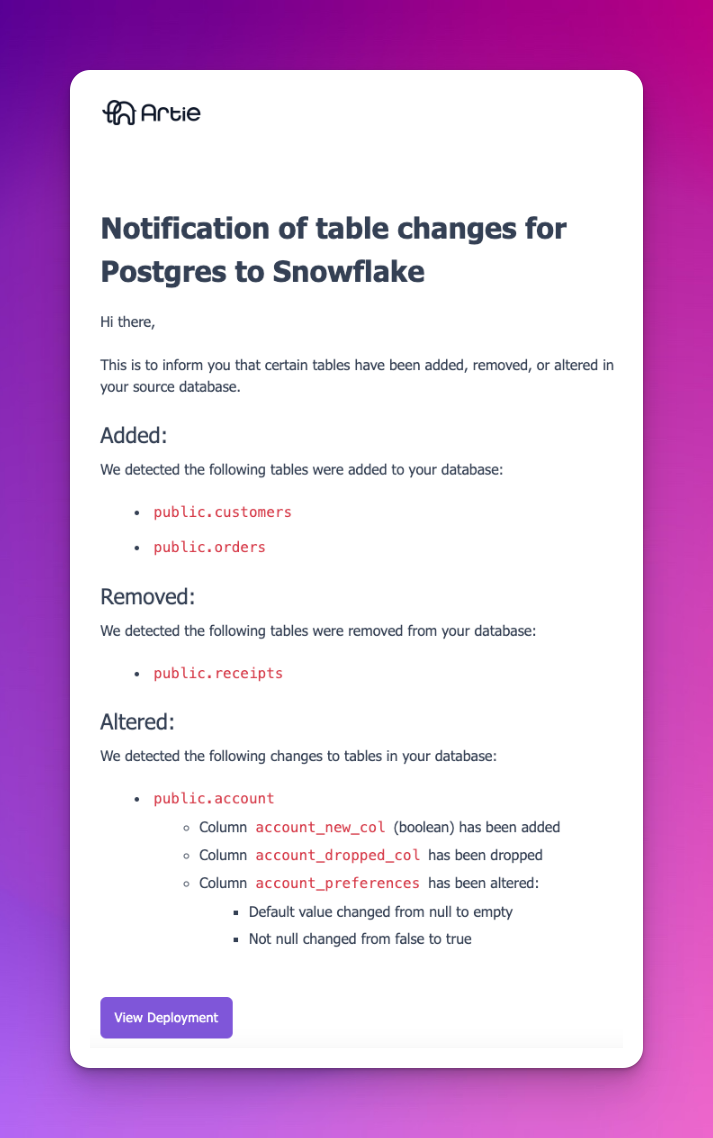
You can also run a check from a pipeline’s overview page. The check runs in the background. If the pipeline has Auto-replicate new tables or Auto-enable history mode for new tables enabled, eligible newly discovered tables can be added automatically. Example of what schema changes looks like

Automatically apply supported schema changes

Schema-change notifications report what changed in the source. They do not change the destination schema. A company admin can separately enable Automatically apply supported schema changes. That reconciliation job compares eligible source and destination tables and applies supported differences. It runs daily between 7:00 and 8:00 AM Pacific Time, and eligible pipeline redeploys can also queue reconciliation. See Schema evolution for supported sources and changes, eligibility requirements, on-demand reconciliation, and the two-hour cooldown.